
Name-Based Case Searches
Begin with the Garfield-filtered Docket Search. It matches party or attorney names against scheduled settings. Give it a tight date range and the right county. Names are tricky. Spacing, hyphens, suffixes, and word order vary between filings, so run a few careful variations before giving up. Also note that a party row represents a hearing setting, not a whole case. The same case can produce several rows.
The calendar has limits. No free statewide portal offers the full Garfield Register of Action and its linked documents through an open name search. If the calendar fails to pin down the matter, file the state request form or the Garfield local search form instead.
- Read the paperwork to identify District Court, County Court, or a named municipal court.
- Choose a date span when the hearing is likely to occur and confirm Garfield County or Garfield County-Rifle.
- Enter the party criteria carefully, then compare case numbers instead of counting name rows.
- Use attorney first name, last name, or bar number where that route is more precise.
- Request a clerk search and ROA when the case has no current setting or a full history is needed.
| Field | Type | Use or format |
|---|---|---|
| Date Range | Date or range selector | Limits the forward-looking calendar |
| Location/County | Filter | Garfield County or Garfield County-Rifle |
| Party/Name criteria | Text | Use variants if spelling is uncertain |
| Attorney Bar Number | Text | Targets an attorney identifier |
| Attorney names | Text | First and last name criteria |
| Export/Print | Output controls | Save the current result, not a future update |
Garfield Docket Fields Explained
Think of the official Garfield docket as a calendar, nothing more. Each result card tells you when and where an event sits: date, start time, estimated duration, displayed name, case number, hearing type, location, appearance type, and courtroom. What it skips matters too. Charges, claims, motions, orders, pleas, judgments, sentences, and document images stay off the card.
The official Garfield calendar shows these fields. You can check them on the live court page.
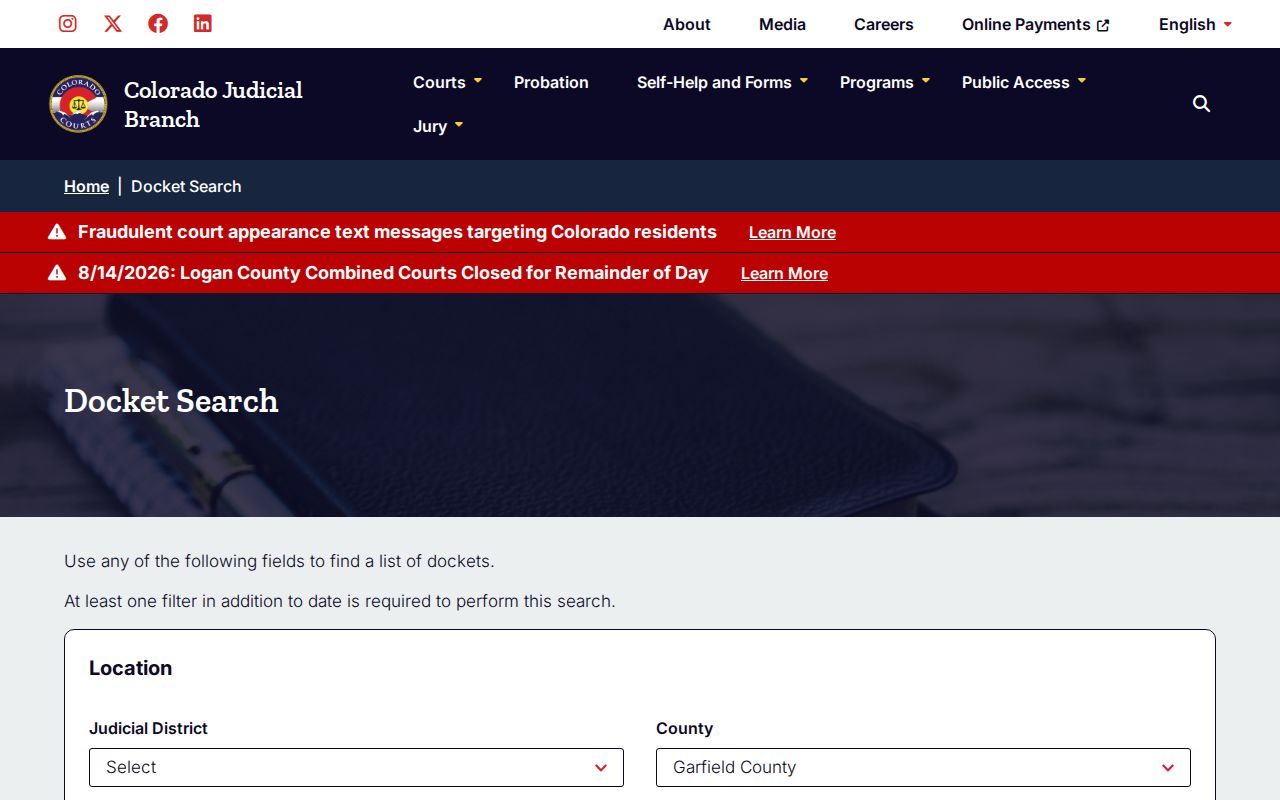
That interface view proves the point. Date and location filters drive everything, so reopen the live page before court. A saved export goes stale the moment the court resets the calendar.
Pay close attention to Appearance Type. A populated field reading IN PERSON or TELEPHONE carries real meaning, but a blank one grants no remote permission. Check it against the newest filed notice. If the two conflict, call the clerk.
Case Number Searches
Searching Garfield County dockets by number beats searching by name. Colorado builds case numbers from a filing year, case-type letters, and a sequence. You will see forms like YYYYCR###, YYYYCV#####, and YYYYDR###. The public calendar also lists C, S, M, T, and R families. Sequences shift over time. Copy the number straight from your notice. Do not guess at punctuation or padding.
- CR
- District Court criminal or felony track.
- CV
- District Court general civil track.
- DR
- Domestic-relations track.
- C and S
- County civil and small-claims tracks.
- M, T, and R
- Misdemeanor, traffic, and related lower-court case families.
The case code also tells you who keeps the file. Garfield Combined Courts holds state District and County Court records. A municipal citation may carry a different local identifier. The issuing city clerk handles that search. One office is out of the loop entirely. The elected county Clerk and Recorder does not keep court case histories.
Garfield Blank Results Have Causes
A blank screen is not proof that no Garfield County case exists. Remember what the public search actually is: a selected calendar window. An active case might simply have no hearing that week. The name might be entered differently in the file. Older records sit off-site. Municipal cases live elsewhere, and some access is restricted, suppressed, or sealed. Run through those causes before you conclude anything.
- Expand or move the date range.
- Search the exact case number from the latest notice.
- Confirm whether the result location is Glenwood or Rifle.
- Read the citation for a city court heading.
- Submit a clerk search when the number is unknown.
- Ask about archive retrieval or restricted status without assuming the outcome.
The Garfield local form costs $5 per name or case number. Plan on three to five business days. It accepts full party names, date of birth, an approximate filing date, case type or charges, and any case numbers you already know.
Case Search Results Explained
A docket result only helps when its fields line up with the case you know. Lead with the case number. That is the strongest match. Then weigh the displayed name, date, hearing label, location, appearance method, and courtroom. Samples show the gaps clearly. A de-identified criminal entry listed a Plea Hearing in a lettered courtroom. No charges, bond, attorney, plea, sentence, or documents appeared. A civil entry listed a Jury Trial but no claim, service, motion history, or judgment.
| Date and start | The planned hearing time in the selected range. |
|---|---|
| Duration | An estimate, such as an hour or one day. |
| Case number | The filing year, case family, and sequence. |
| Hearing type | The planned event, not proof of an outcome. |
| Location | Garfield County or Garfield County-Rifle for state settings. |
| Appearance | In person, telephone, or blank. |
| Courtroom | The assigned letter or number for that setting. |
Need the chronology or the outcome? Order the Register of Action. Need exact language? Request the complaint, disposition, judgment, satisfaction, petition, or whatever named filing the case turns on.
Garfield Register Requests Add History
The free docket leaves a hole. The Colorado Judicial Branch Record/Document Request Form fills it. Pick Garfield as the county. Add the case number, year, case type, party details, and any other identifiers. Then check Register of Action/ROA. Per the form itself, the ROA is a brief explanation. It can include charges, sentences, and minute orders.
That same official request form is the next image's subject.
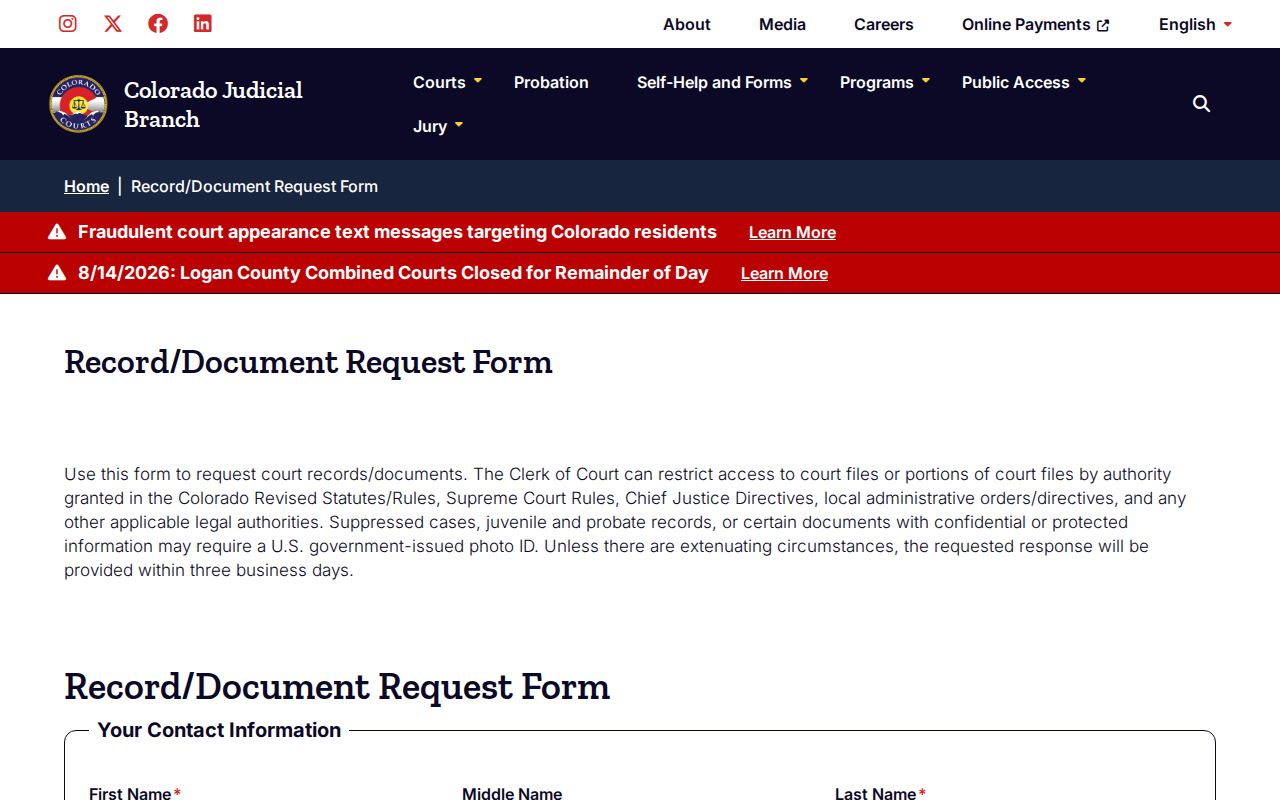
The form's checkboxes let you narrow the order to family, criminal, civil, probate, ROA, other documents, or certification. That precision cuts down needless review and copying costs.
Timing differs by channel. The statewide form promises a response within three business days absent extenuating circumstances. The local search form allows three to five business days. Neither channel guarantees that every archive pull or redaction-heavy request finishes inside its window.
Two Ways to Search: County and State
Garfield County offers a statewide calendar plus local clerk request channels. It does not offer two rival full-history databases. The state Docket Search is free and instant for scheduled hearings. The statewide document form routes an ROA or document request straight to Garfield. A name search may prove stubborn. So may an uncertain case number, an archive pull, a payment, or an access problem. Use the local PDF, clerk email, phone, or counter. Staff action beats a dead end.
| Channel | Best use | What it does not do |
|---|---|---|
| State Docket Search | Live hearing date and setting fields | No full anonymous ROA or document set |
| State request form | ROA and selected filed records | Not an instant results database |
| Garfield local form | $5 name or case search through clerk | Does not replace a court setting notice |
| Email, phone, counter | Routing, archive, access, and payment questions | Availability remains subject to law and order |
| Municipal clerk | City citation and ordinance records | Not the custodian for state CR, CV, M, or T files |
Send Glenwood record requests to GCGWSCourt@judicial.state.co.us. The main phone line is 970-928-3065. For state access in person, go to 109 8th Street, Suite 104, Glenwood Springs, or the associate office at 200 East 18th Street, Suite 103, Rifle.
Garfield E-Filing Isn’t Public Search
Colorado Courts E-Filing goes by CCE. Attorneys, public users, and self-represented filers can all submit electronically through it. The system enforces role and document-security rules. That filing tool is not a free, anonymous Garfield County docket search. A party can open a filing tied to their role. An anonymous visitor cannot download the same document. The official CCE help material shows how these access levels work.
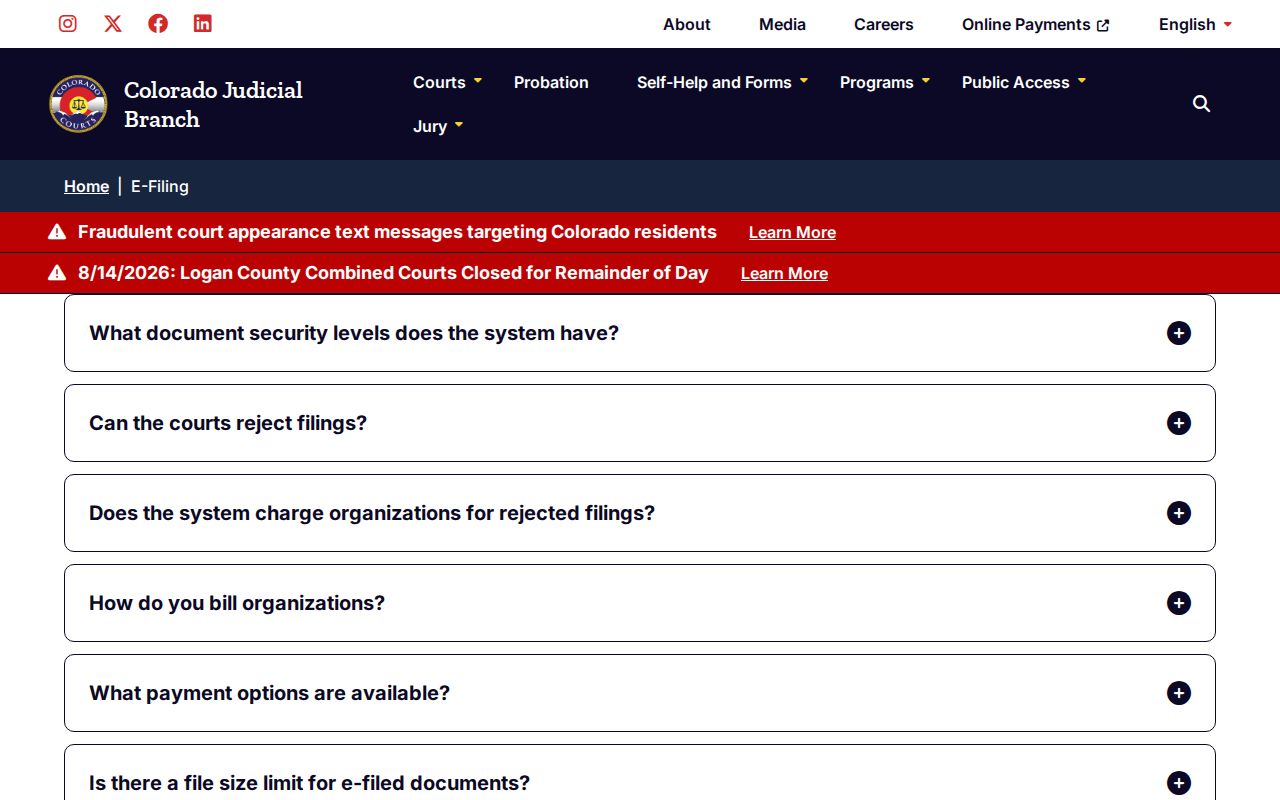
The help material sorts documents into five levels: Public, Protected, Restricted, Suppressed, and Sealed. A hearing can appear on the docket while its filings stay off limits. Public documents are open to almost anyone. Protected items may open up once redacted. Restricted and suppressed files reach narrower audiences. Sealed ones reach narrower still. The clerk applies the current directive, statute, rule, and case order in each case.
Garfield Municipal Cases Need Clerks
The state calendar does not reliably return municipal cases. Rifle, Glenwood Springs, New Castle, Silt, and Carbondale keep their own city-code and municipal traffic files. They do so through local courts or municipal channels. Always read the court name and address on the citation first. A city police citation usually stays municipal. A state patrol or sheriff citation goes to Garfield County Court.
Rifle offers a municipal records request and published hearing dates, but no anonymous case portal. Glenwood runs separate citation payment systems rather than a full case-history search. New Castle leans on the citation, the clerk, and Town Hall. Silt handles records through its Town Clerk/Court Clerk by phone, counter, or fax. Carbondale posts no dedicated docket page. Start with the issuing department and the official town contact.
A missing city portal is a routing fact, not a dead end. The local clerk can confirm the municipal file. State paperwork belongs at Combined Courts instead.
Which Cases Stay Restricted
Remote search does not open every Garfield County case or document. Chief Justice Directive 05-01 governs access to Judicial Branch records. Juvenile files and identifying details can stay confidential under Title 19. Adoption records, protected family filings, some probate documents, personal identifiers, restricted exhibits, suppressed cases, and sealed matters may be withheld or require proof of authorized access.
Do not infer status from absence: A blank result can reflect the date window, court choice, spelling, archive location, or an access rule. Ask the clerk for the record and let the custodian state the limit.
The official form warns that suppressed, juvenile, probate, confidential, or protected material may require U.S. government-issued photo identification. Only the clerk certifies records. For a transcript of what was said in court, email Courtreporter09@judicial.state.co.us rather than the ROA request channel.
Older or off-site files can carry real retrieval costs. Work past the first hour, including research or redaction, can run $30 per hour in fifteen-minute increments. Get the estimate confirmed before ordering a broad file.